Asus ESC4000 Instrukcja Użytkownika Strona 78
- Strona / 112
- Spis treści
- BOOKMARKI

- ASWM Enterprise 1
- Disclaimer 2
- Contents 3
- Reference information A-1 5
- About this guide 6
- Conventions 7
- Reference 7
- Getting Started 8
- 1.1.2 Supported OS platforms 10
- Minimal Requirements 11
- Enterprise: 11
- System Requirement 12
- For Windows Server 2012 12
- For Windows® 2012: 17
- 1.4 Login ASWM Enterprise 18
- 1.5 The main page 20
- Deployment management 21
- 9. The deployment starts 27
- Client Agent 32
- Main Server Functions 39
- 3.1 Monitor 40
- 3.2 Account Management 43
- 3.2.2 Account 44
- 3.2.3 Role privilege 45
- 3.3 Deployment Management 46
- 3.4 Centralized Management 47
- 3. Click 49
- Connect 49
- Scheduling a taskset 55
- Adding a task to the taskset 56
- The device in the 59
- Device List 59
- 3.5 Report Management 60
- 3.6 Server Conguration 63
- 3.6.2 Security 64
- 3.6.4 ASWM Group 65
- 3.6.5 BIOS 66
- 3.6.6 DataBase 66
- 3.6.7 Software Pool 67
- 3.6.8 Monitor 69
- Client Monitor Information 71
- 4.1 Monitor Overview 72
- 4.2 HW Sensor 74
- 4.2.1 Setting thresholds 75
- 4.2.2 Hardware sensor tabs 76
- Temperature 77
- Backplane 77
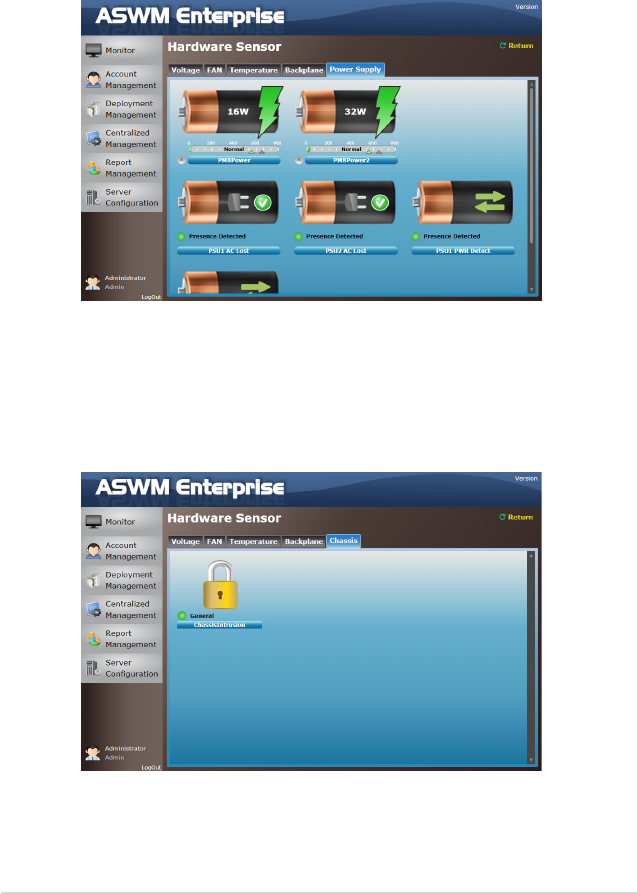
- Power Supply 78
- 4.3 Inventory 79
- S.M.A.R.T Information 80
- Partition Information 80
- 4.3.2 Device Manager 81
- 4.4 Event Log 82
- Advanced Search 83
- Clean EventLog 84
- Export EventLog 84
- 4.5 Utilization 85
- 4.5.3 Memory 86
- 4.5.4 Network 86
- 4.6 Software 87
- 4.6.3 Process 88
- 4.6.4 Environment Variables 89
- 4.6.5 Software Dispatch 89
- 4.6.6 Export function 91
- 4.7 Security 92
- Regedit Tool 93
- WatchDog 94
- 4.8 BMC 95
- 4.9 BIOS Flash 97
- 4.10 Conguration 98
- 4.10.2 Network 99
- 4.10.3 Notification 100
- Utilization 101
- Scroll down 101
- 4.11 Remote Control 102
- 4.12 ThinClient features 103
- Reference information 107
- A.1 Glossary 108
- ASUS contact information 111
Powiązane produkty i podręczniki dla Networking Asus ESC4000
 (46 strony)
 (34 strony)
 (46 strony)
(129 strony)
(52 strony)
(44 strony)
(46 strony)
(129 strony)
(52 strony)
(44 strony)
 (60 strony)
(54 strony)
(35 strony)
(69 strony)
(53 strony)
(46 strony)
(60 strony)
(54 strony)
(35 strony)
(69 strony)
(53 strony)
(46 strony)
© 2020, manymanuals.pl. Wszelkie prawa zastrzeżone. | 0.062 s |
 Manymanuals.com
 Manymanuals.de
 Manymanuals.fr
 Manymanuals.it
 Manymanuals.pl
 Manymanuals.cz
 Manymanuals.es
 Manymanuals-pt.com
Komentarze do niniejszej Instrukcji